
Introducing the touch key
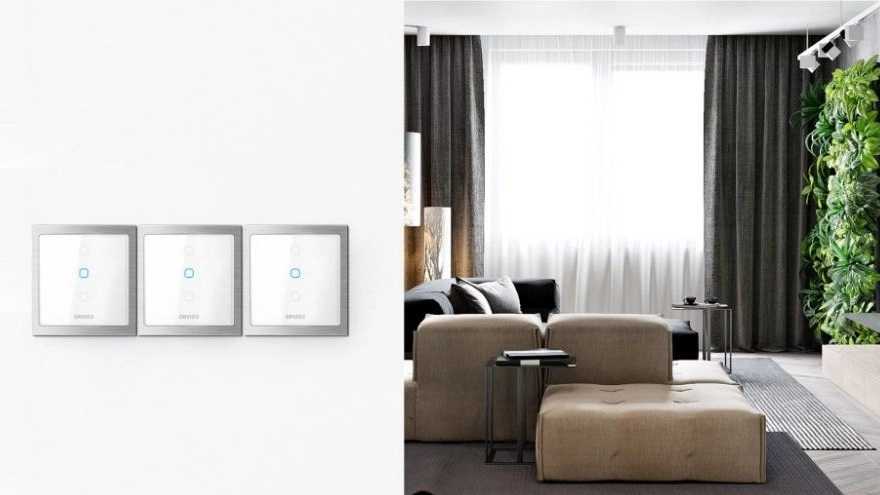
The touch key is a new generation of lighting keys that has been produced with the aim of easy use, increased functionality and beautification. These keys are turned on or off with the touch of Anna's finger, and they no longer need to be pressed like the previous generation keys, i.e. traditional mechanical keys. This technology, in addition to the ease of turning off or on the lights, has many capabilities in its smart generation, which will be mentioned below. And another point is that these keys play a special role in increasing the beauty of our surrounding environment due to their stylish and new structure.
The benefits of touch keys
Building lighting control compatible with any type of lighting available in the market (key and lighting module)
Controlling and changing the brightness of the lights (switch and dimmer module)
Ambient cooling and heating control (thermostat switch)
Seven-color ribbon control (RGB key and module)
Smart curtain control (key and curtain module)
Longer lifespan than traditional keys
Has a key status display light
Reducing the number of lighting switches and the length of wiring
Can be used in different places such as residential, office and commercial
Increasing beauty and luxury from the point of view of interior decoration and architecture
Very sensitive touch screen with fast performance along with modern technology
Increased safety and no electrocution of the user due to the presence of an isolated power source
No need for demolition and rewiring for buildings of several years of construction
Lighting touch keys from one to ten lighting headers (one bridge to 10 bridges)
Luxurious and beautiful design using the best materials such as crystal, metal and composite materials
Ease of installation and the possibility of easy movement with common mechanical (traditional) keys without the need for technical knowledge
Management and reduction of energy consumption, possibility of scenario and scheduling (for smart touch keys)
Programming and control through the application (android-ios-web-windows) (for smart touch keys)
Definition of various security and comfort scenarios (smart key and scenario key) (specific to smart touch keys)
It has two-way communication (feedback) and the possibility of viewing the lighting system's off or on status (for smart touch keys)
Touch key application
Touch keys or smart power switches have many uses. From the lighting of chandeliers, hidden light strings, halogens, ceiling LEDs, decorative lights and wall sconces to opening and closing curtains and dimming dimible lights. In addition to the above, in the generation of smart touch keys, a specific scenario can be defined for each bridge or the smart key can be implemented in a specific scenario. Also, in order to reduce energy and electricity consumption, when you are not in the room or at home, you can define a scenario so that the smart system turns off all additional lights. In fact, it can be said that in the smart generation of touch keys, anything you can think of can be implemented.
Types of touch keys
In terms of touch technology
In terms of touch technology , there are three types of touch keys that have different technical and circuit structures in the way of performing the function, which is as follows.
The capacitive touch key
Resistance touch key
Another category of touch keys are resistive touch keys, which have a different working basis than capacitive touch keys. The functional mechanism of these keys is based on two electrodes placed in their internal circuit that are in contact with each other. When the user touches the key, the resistance between the two pieces of metal decreases and causes the key to function. Resistive touch keys are less common than capacitive touch keys; But even now they are used in many industrial and commercial uses.
Pispoint Touch key
The third model of touch keys in terms of their technical structure and touch part are piezoelectric touch keys. The touch function of these types of keys is based on the piezoelectric sensor embedded in them. These sensors are self-stimulating sensors and when contacted and touched by the user, they generate an electrical signal and change the light from one state to another. In general, we can say; The most common touch keys of the type of touch structure are capacitive touch keys, which most smart companies produce their keys with this type of technology.
In terms of physical structure
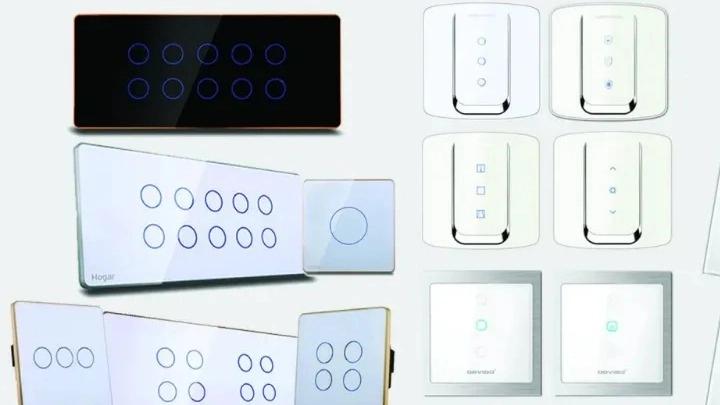
In terms of physical structure, different companies are looking for a beautiful physical design, compatible with ergonomics, and day by day, different designs and models of these keys are added in the market.
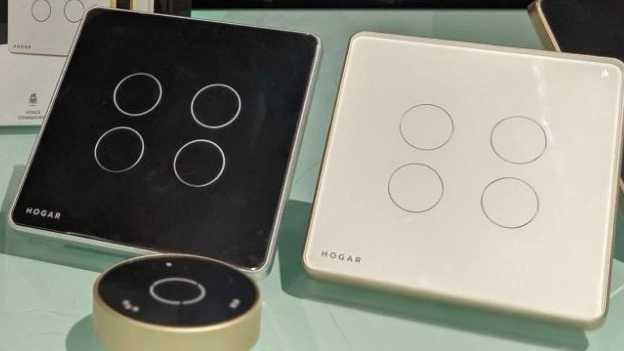
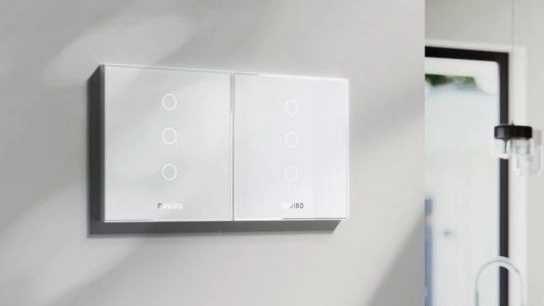
Designs that are made with different materials such as glass, metal, wood, stone and composite materials and have different dimensions and sizes and with different frames. For example, we can refer to MCOHOME smart touch keys or Orvibo touch keys of classic design, which have a pure glass frame with a very elegant design, or we can refer to Geeklink, Hogar and Aurora Orvibo brand smart touch keys, which are made of glass. It has a metal frame that separates itself from other equipment on the wall of the house with a special beauty. Or many smart touch keys that have beautiful designs and work in all kinds of smart home wireless protocols.
In terms of performance
In terms of efficiency; Touch keys can be divided into two general categories, non-smart and smart. Non-smart touch keys only have the ability to be used by touching the key itself; But smart touch keys have many advantages, such as remote control by remote control, through an application installed on a mobile phone or computer from anywhere in the world, execution and implementation of various scenarios and pre-determined programs as desired by the user, reducing Energy consumption by automatically turning off lighting in unnecessary times.
In terms of performance diversity and number of bridges
The touch keys have a variety of functions, which include the implementation of brightness, changing the color and light intensity of RGB threads (seven colors thread), the possibility of dimming (increasing and decreasing) the light of dimmable lights by means of a smart touch key (or not (smart) dimmer, the ability to open and close the electric curtain by the touch button of the curtain, as well as the implementation of different scenarios by the smart touch buttons of the scenario.
A few basic points when buying touch keys
Smart or not smart: If you want to make your home smart and to be able to control the lighting of your home from anywhere, it is recommended to get a smart key. But if you are only looking for a luxury and at the same time touch key, we recommend you to choose a simple touch key.
Check the number of your lighting line heads: these switches have variations in the number of lighting line heads (bridges). From the switch of 1 bridge and sometimes up to 10 bridges. You can combine several lighting lines according to your taste and use a six-bridge smart switch. In this case, the cost will be reduced for you.