



برای رفع خطاهای سایت کلیک کنید.
Nightmare of site shutdown and loss of customers
Imagine that a potential customer after searching on Google or clicking on the link of your advertising campaign, instead of seeing the products and services, he faces a white page and a scary 5xx error! In the world of online business, every second of site downtime is equal to the loss of brand credibility, drop in sales and a sharp drop in SEO.
Errors of the 500 (5xx) family mean that there is nothing wrong with the user's browser and his Internet, but that it is the site server that is unable to process the request. In this article, we will take a closer look at common errors 500, 502 and 504 and teach you practical solutions to fix them. If you are looking for a high-speed, uninterrupted site with a powerful infrastructure, stay with us until the end of this article.
Error 500 (Internal Server Error): internal server problem
Definition:
Error 500 is a general message and indicates that the server has encountered an unexpected problem and cannot complete the request. This error is the most common error in the 500 family.
Reasons for occurrence:
Damage or wrong settings in the .htaccess file. Interference with plugins or site templates (especially in WordPress). Lack of memory allocated to PHP (PHP Memory Limit). Programming errors and bugs in site codes.
Solutions to fix errors (for site administrators):
1. Checking the server logs (Error Logs): The first step to find the exact root of the problem.
2. Change the temporary name of the .htaccess file: to check whether the problem is from this file or not.
3. Disabling plugins: Disable all plugins and enable them one by one to identify the malicious plugin.
4. Increase PHP memory: through wp-config.php file or host settings.
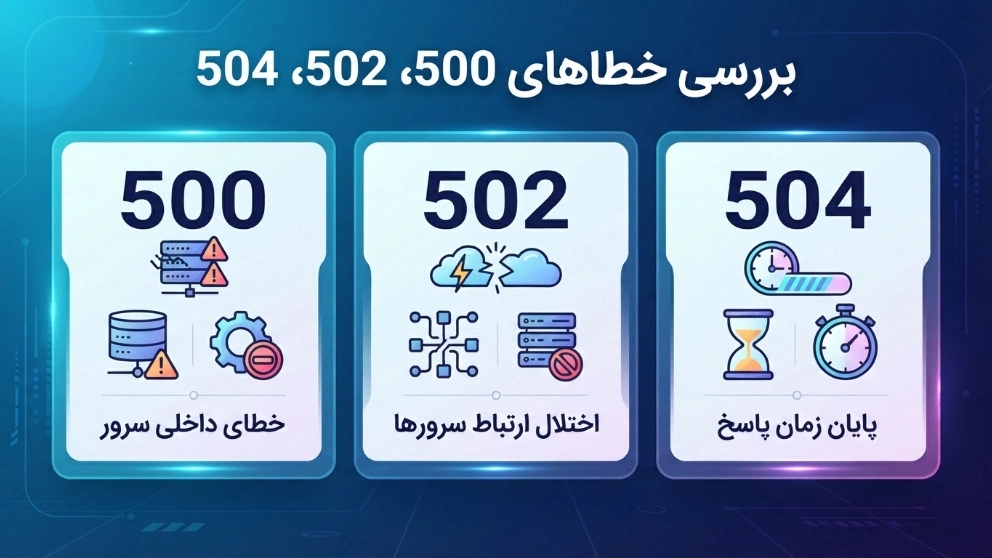
Error 502 (Bad Gateway): Failed server connection
Definition:
This error occurs when an intermediate server (such as a CDN, proxy, or firewall) sends a request to the origin server, but receives an invalid response and a failure from the origin server.
Reasons for occurrence:
Temporarily out of reach of the site's main server (down). Excessive pressure and sudden traffic on the server (Overload). Wrong settings in DNS or CDN (like Cloudflare). IP blocking by firewall server.
Troubleshooting solutions:
1. Check the status of the main server: Contact hosting support.
2. Clearing the CDN and DNS cache: Flashing the content delivery network cache.
3. Checking firewall logs: Ensuring that authorized requests are not blocked.
504 error (Gateway Timeout)
Definition:
Error 504 is very similar to 502, except that here the intermediate server does not receive any response from the primary server and the time allowed to wait (Timeout) expires.
Reasons for occurrence:
Extremely slow main server in processing requests. Very heavy and unoptimized queries in the database. DDoS attacks that take up server resources. Slow third-party scripts.
Troubleshooting solutions:
1. Increase Timeout: in server settings (Apache/EngineX) or
2. Optimization of the database: Correct indexing and cleaning of redundant data.
3. Upgrading hosting resources: If you need more processor and RAM.
The impact of 500 errors on SEO
Google attaches great importance to user experience (UX). If Google bots encounter 500 errors while crawling your site, the following harmful effects occur:
* Crawl budget reduction: Google will remove its robots from your site and your new pages will not be indexed.
* Degradation and removal from results: If the error persists for several days, Google will remove your pages from the search results (SERP).
* Bounce rate increase: Users who encounter an error, immediately leave the site and go to the competitor's site.
برای رفع خطاهای سایت کلیک کنید.
Essential tools for status monitoring
Site In order to find out about the site outage before the customers, use these tools:
* Google Search Console: In the Page Indexing section, it will show you the server error report.
* UptimeRobot: will email or text you as soon as the site is down.
* GTmetrix / Pingdom: to check server response speed and identify performance bottlenecks.
Is your site constantly experiencing outages and errors?
Don't let technical problems drive your customers away! At Behzi, we build a powerful and uninterrupted infrastructure for your business by providing specialized services for corporate and store website design, speed optimization and technical SEO. Contact our experts in Behzi right now to turn your site into an "always awake money making machine".