

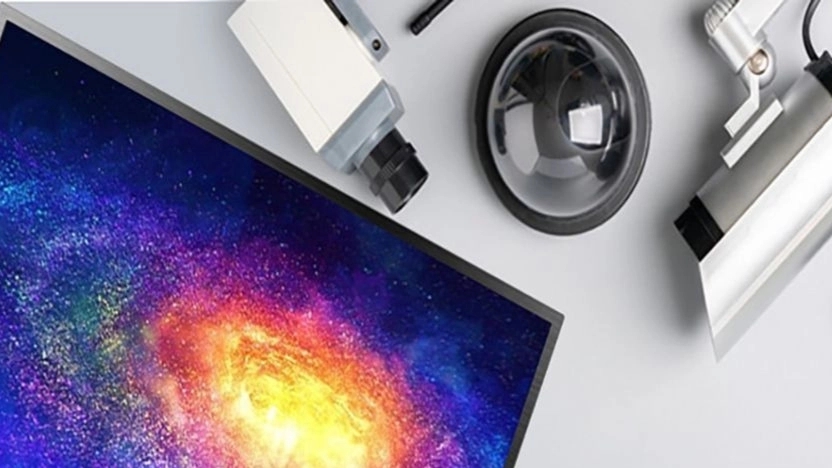


Sometimes there are cases where a person only wants to view live images and does not want to save information. For example, a person just wants to know who is behind the door so that he can open the door if he is familiar. In this case, there is no need for DVR and NVR. For this purpose, you can view the images by directly connecting the CCTV camera to the monitor or TV and computer. In addition, the cost of installing and operating a CCTV camera is also greatly reduced.
Brand and CCTV Model
To connect the CCTV camera directly to the monitor or TV, you must first determine the technology type of your CCTV camera. Because due to the type of technology used in the cameras, the way of connecting the camera to the monitor will also be different. You can directly connect the camera to the monitor and you need an external device. But if your surveillance camera is a traditional analog camera; It means it has CVBS (Composite Video Baseband Signal) technology. So the work steps will no longer be complicated and you can directly connect the camera to the monitor.
equipment needed to install the camera directly to the monitor/TV
The equipment required can vary from camera to camera. Even more or less equipment may be needed due to different TV ports. However, the following equipment is used to connect the analog surveillance camera:
RG59 hybrid coaxial cable: Through this cable, you can transmit the signal of video images and electricity at the same time.
BNC connection: Can be used on either side of the coaxial cable.
BNC to RCA converter: To connect the CCTV camera, you need to connect the BNC with this converter to the RCA input. The TV is connected.
plug jack power adapter connector: This connector is used to connect the power adapter to the CCTV camera.
methods of attaching CCTV to TV
1. Direct connection of CVBS CCTV camera to TV
First, install your CCTV camera in a suitable place.
In the second step, you need to connect the camera cable. For this, use the BNC connection to the coaxial cable. The next step is to connect the power supply to the camera. For this purpose, P4 connector cables should be used. But at this stage, be sure to connect the positive and negative poles of the cable correctly so that the camera is not damaged.
After completing the above steps, it is time to connect the camera to the TV itself. For this, we use a BNC to RCA converter. Just make sure to use the audio and video input. Finally, turn on your TV and select the AV input. In fact, the AV input is an audio and video input that allows viewing images on the TV.
2. Direct connection of the analog HD surveillance camera to the monitor
First, check if the monitor has an HDMI input.
From there, analog cameras with HD-TVI technology, HD-CVI and AHD cannot communicate with normal TVs, you need help from AHD to HTML converter.
Connect the CCTV camera to AHD to HTML converter with a coaxial cable.
Then this converter Connect it to the monitor through the HDMI cable.
3. Connecting the IP surveillance camera to the monitor/smart TV
To connect the network surveillance camera to the monitor, you must check that the monitor has a LAN input. Therefore, after connecting the network cable, you can view the images in this way. If you use the internal network and modem (router), you can also connect the camera to the modem and then enter the browser on the smart TV. The important thing is that your TV must also be on the network. Then by entering the IP address of the camera in the browser and entering the username and password, you can view the IP camera images on the TV.
To connect the CCTV camera to the computer, you must first check that your IP camera has P2P capability. Install the software for the CCTV camera. (You can download the desired software from the CCTV software download section.)
Then connect the IP CCTV camera to the network port of the computer using a network cable.
To add cameras in Enter the software you have installed, the ID and password of the camera.
5. Connecting DVR or NVR to TV
First, check if your DVR or NVR and TV have HDMI output and input.
Then you can easily go to Connect the CCTV camera's HDMI cable to the TV. Finally, turn on the TV and enter the HDMI input.